Chings
1
Just sharing this tip so people don’t miss it!
The Jellyfin you install from our App Center, supports hardware decoding.
After installing and setting up Jellyfin:
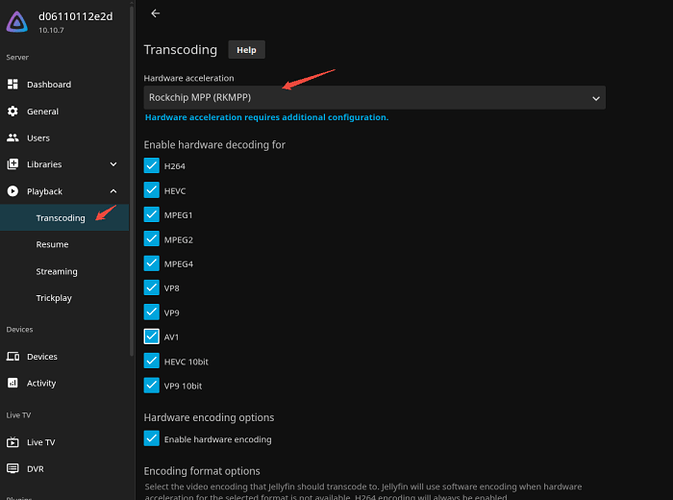
1. Go to Settings > Dashboard
2. Go to Playback > Transcoding
3. Set Hardware decoding to Rockchip MPP (RKMPP)
That’s it! You can check the formats you need below it.